We’ve overhauled the project creation flow in QFieldCloud to make getting your field data campaigns off the ground faster than ever. Along with a clean new web interface, we are introducing two highly requested features to boost your team’s productivity: more advanced project creation, with native XLSForm imports and 1-click project cloning! 🚀
Revamped basic project creation
When creating a new project, you can now define the initial extent field right away. You can also configure a basemap using OSM or a custom XYZ layer. What is more, you can set whether you prefer to keep the original color, or convert the basemap into dark or light themes.
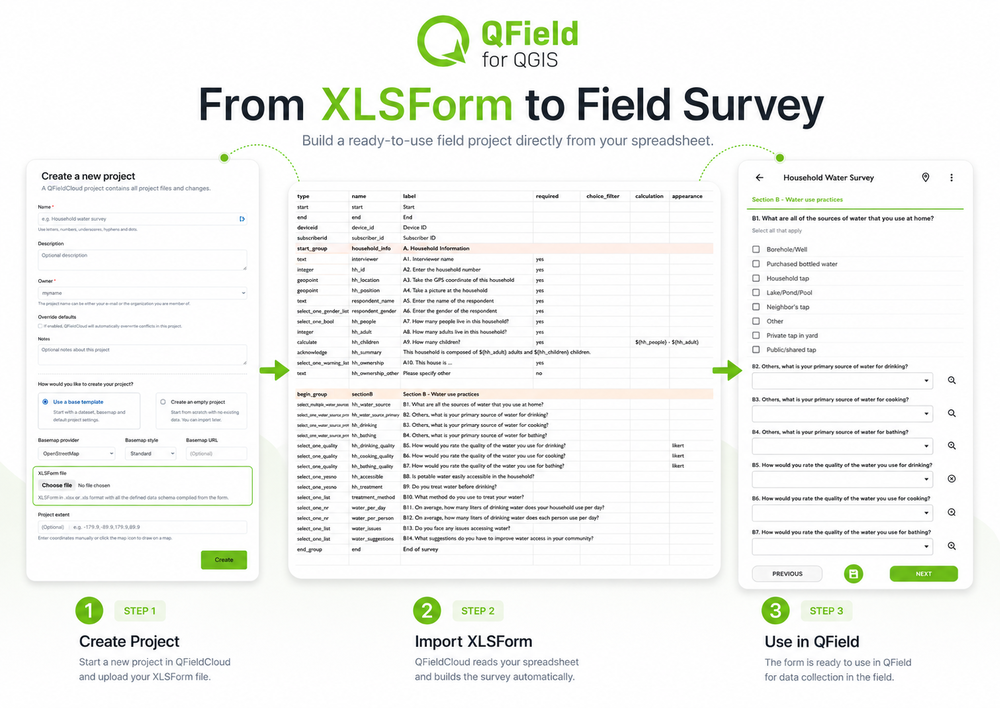
XLSForm imports: a new path of survey creation
We are also thrilled to introduce a completely new way to generate projects: XLSForm support.
If your team designs surveys using the industry standard XLSForm spreadsheet format, you no longer have to manually recreate those schemas as QGIS layers. You can now bootstrap a fully functional geospatial project directly from your spreadsheet.
Simply select the XLSForm option during project creation, upload your .xls file into the designated field, and QFieldCloud will translate your survey logic, constraints, and questions into a ready to use field project.
Need inspiration before building your base project? Explore this repository of community form templates to get started.
Want the full details? Head over to the XLSForms plugin documentation .
Project cloning: replicate your field setup in seconds
Setting up a new data collection project that shares the same structure as an existing one used to be a manual chore. If a team wanted to replicate a workflow for a different region or phase, they had to create a new project from scratch, configure it in QGIS, and re-upload all the base maps, datasets, and project files.
That changes today. With our new cloning feature, you can duplicate an entire project environment with just a couple of clicks:
- Click the Create Project button.
- From the three new options, select Clone an existing project.
- Use the search input to find and select the target project.
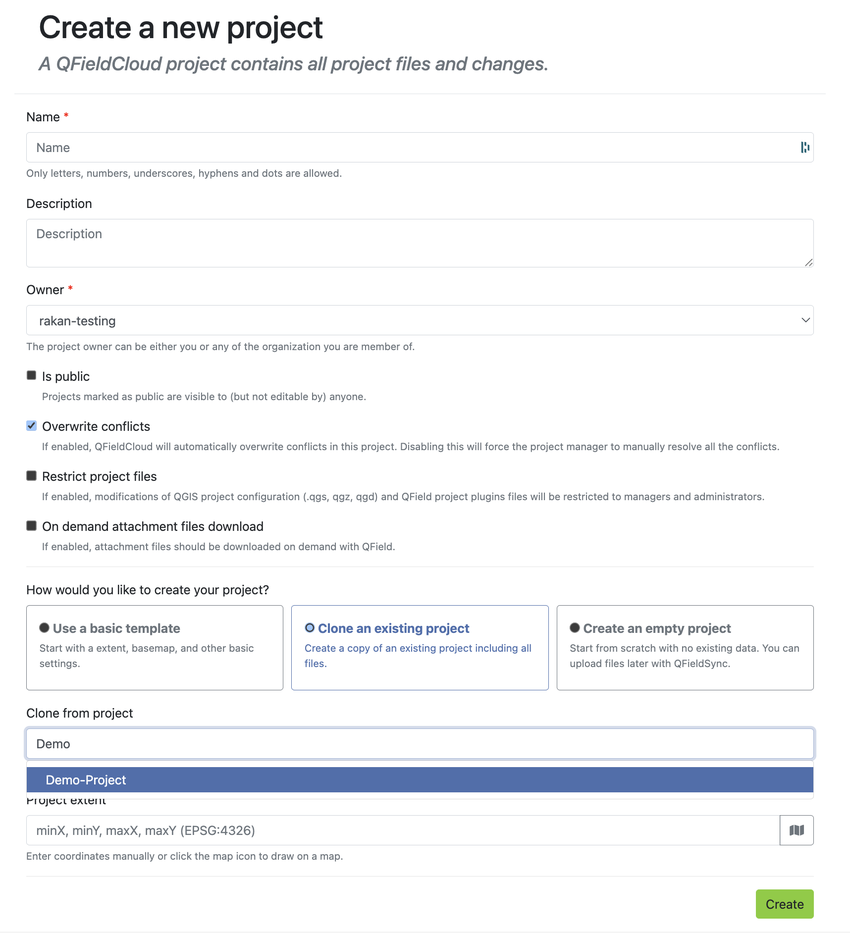
That’s it! QFieldCloud will generate a 1:1 clone of the original project. All your underlying QGIS project files (.qgs/.qgz), layers and styling are instantly carried over to the new project. This eliminates repetitive desktop-to-cloud syncing and ensures standard data collection practices across your entire organization.
Ready to try it out?
Ready to streamline your field collection workflows? Create your free QFieldCloud Community account today and start leveraging these new project creation tools right away.
Join the conversation